
PrayerList Pro 1.8
Built for iPhone Duo
Open it like a book, with the Bible on one page and your journal on the other. Lay it flat to write across a full page, or stand it half-folded as a prayer desk. Fold it mid-prayer, and your prayer keeps going.
The iPhone Duo layouts need PrayerList Pro 1.8 or later and iOS 27.1 or later.
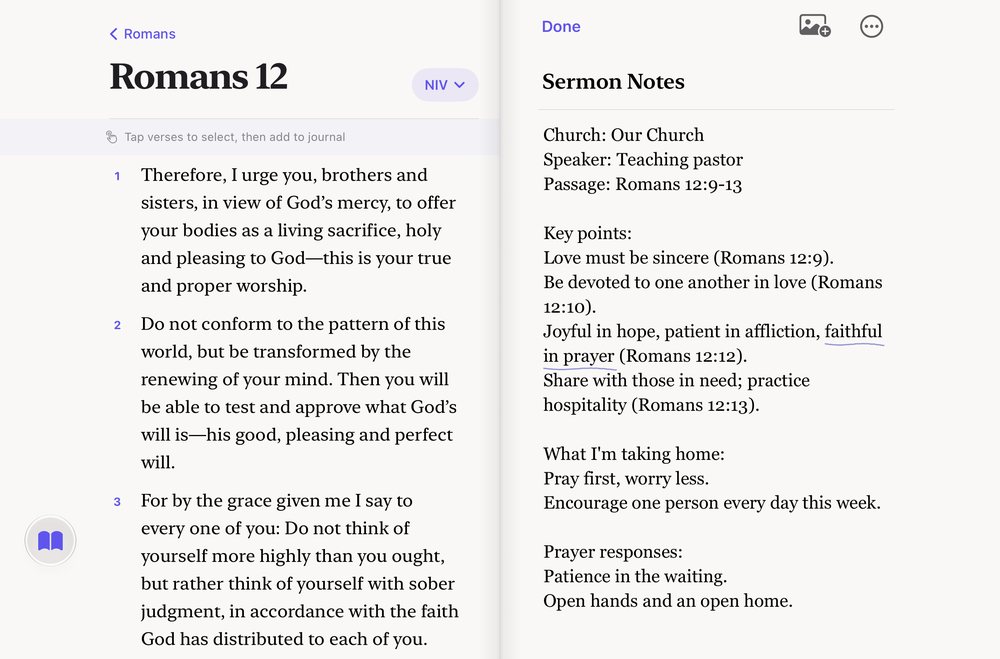
Bible and journal
Open it like a book.
Read a chapter on one page and write what stays with you on the other, with both in view.
From any tab, tap the Bible button on the left edge to open the Bible on the left page.
Tap verses to choose them, then add them to your journal entry. Beside an open prayer, you can add them to that prayer instead.
Reading the Bible needs an internet connection.
Open flat
A full page to write on
With iPhone Duo open flat, tap the Full Screen button at the top of your entry to write across both pages.
Your words stay in one column across the middle, at a comfortable length for reading.
With a keyboard, press Command-Backslash (⌘\) to turn Full Screen on or off.

Half-folded
A prayer desk
Stand iPhone Duo up, half-folded, and the journal becomes a prayer desk. What you’re praying about stands on the upper half, and your page lies on the lower half.
The upper half shows what your entry holds: the prayer it’s linked to, your template’s prompts, or the verses you’ve added. If your entry has none of these, it shows Psalm 46:10.
Start typing and the page rises. Hide the keyboard and it lies back down.

Praying for others
Your prayers, side by side
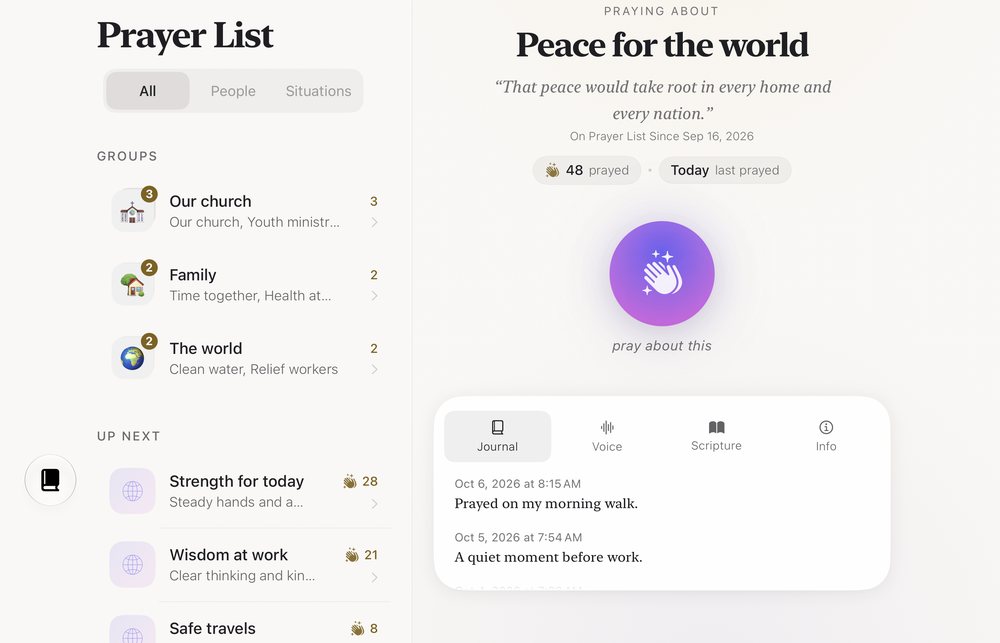
Open a prayer from your list and it fills both pages. One page shows who or what you’re praying for, with the Pray button. The other shows the prayer’s notes and verses.
Tap Prayers to bring your list back beside the prayer. A group opens on one page, with its prayers on the page beside it.
Search, Resources, Prayer Life and Settings open side by side, too.
Fold and unfold
Keep praying as you fold.
Open or close iPhone Duo in the middle of a prayer. Your prayer and its Live Activity keep going.
If you’re writing, your words stay on the page, and the journal keeps your place.
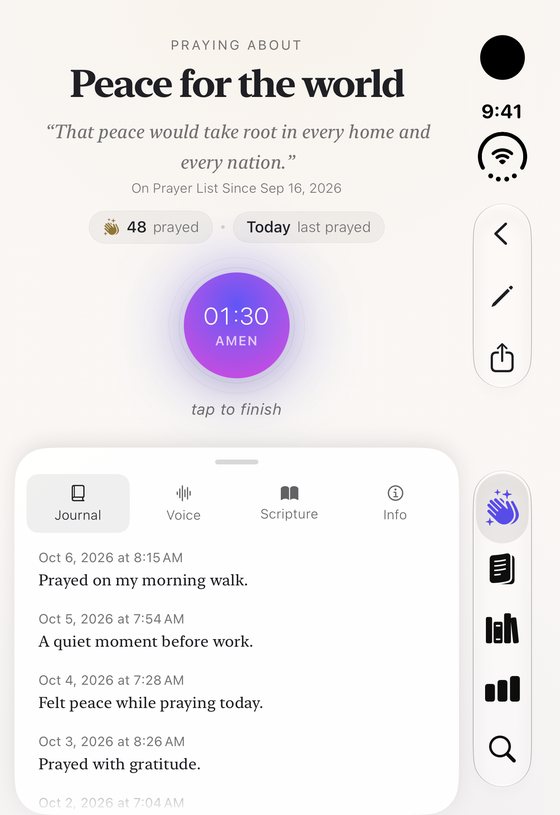
Closed, everything fits
On the outer display, each page’s buttons sit beside the tabs, and the Pray button stays within reach.
Accessibility
Room for everyone, open or closed
The iPhone Duo layouts carry the same care as the rest of PrayerList Pro, which is designed for VoiceOver and Dynamic Type.
Calmer motion
When Reduce Motion is on, the iPhone Duo layouts change with less movement.
Room for larger text
At the largest text sizes, the layouts change to make room for your words.
The desk, described
With VoiceOver on, the prayer desk tells you once where things are: “Your page is on the lower half. The reading is above.”
Labeled controls
Controls such as the Bible button and Show Reading have labels that VoiceOver reads aloud.
If something on iPhone Duo gets in your way, we want to hear about it.
Before you begin
What you need
The iPhone Duo layouts appear when you have:
- iPhone Duo
- iOS 27.1 or later
- PrayerList Pro 1.8 or later
On other iPhone models and on iPad, PrayerList Pro keeps its usual layouts and needs iOS 26 or iPadOS 26 or later.
“Built for iPhone Duo” describes the work we did for this device. It doesn’t mean that Apple endorses PrayerList Pro. iPhone Duo is a trademark of Apple Inc.
The pictures of the open iPhone Duo, the prayer desk included, are rendered from the app’s own iPhone Duo layout with sample prayers and journal entries. They aren’t photos of the device, and they leave out the status bar and the app’s tabs. The picture of the closed display is a screenshot from the app. If something looks different on your iPhone Duo, please tell us through Support.

Free to download, with no account to create. Features vary by device.