
Prayer list · Bible · Journal
Carry the people on your heart before the Lord.
A quiet place to remember each name and need, read Scripture, and recognize God at work over time. Free on your Apple devices, and made to stay out of the way.
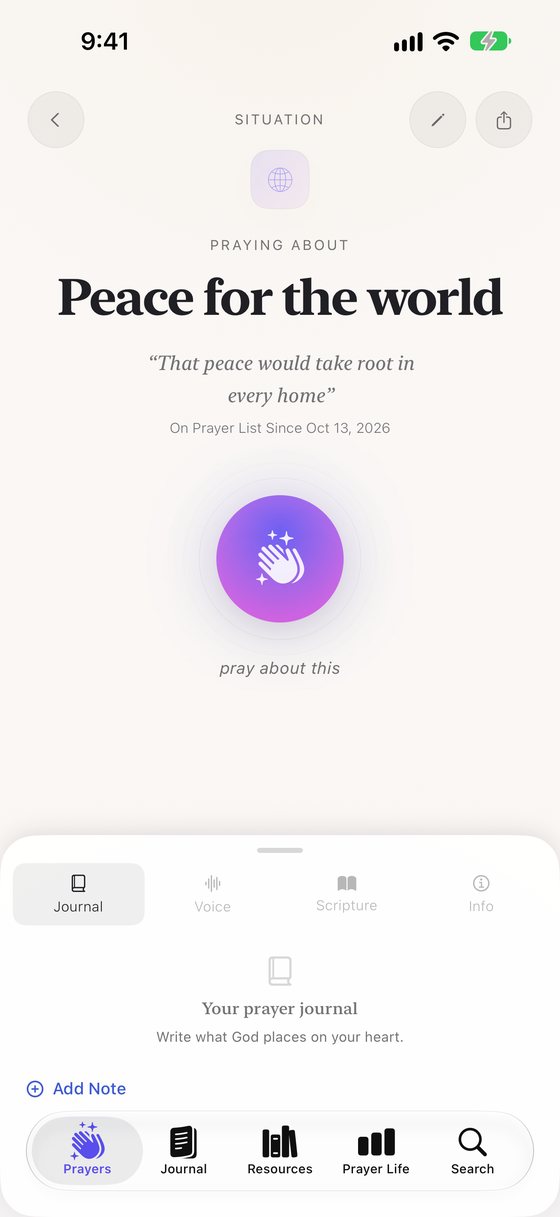
Why we built it
Prayer needs very little.
A quiet moment, a name, an honest heart. An app shouldn’t add anything that competes with that.
When the technology disappears because it works so well, that’s what makes it an exceptional experience.
So PrayerList Pro is built to do its work quietly: to hold the names, needs and answers you might otherwise forget, then step aside, so your attention can rest on God and on the people you love.
It gets out of the way.
No account to create. Just open the app and start praying.
It’s free, and it’s yours.
Every feature is free for everyone, though some need a newer device. Your prayers are never sold and never used to profile you.
It welcomes everyone.
Designed for VoiceOver and Dynamic Type on iPhone and iPad, and available in five languages, because the app should never be the reason someone can’t pray.
Praying for others
By name, by need, by day.
Intercession is love made specific. PrayerList Pro helps you keep praying for the people who asked you to, and for the ones who never would. It isn’t a task to tick off. It’s a way of remembering a person before God.
Some prayers are answered soon. Some you carry for years. Each one keeps the day you began and how many times you’ve prayed.
How praying for someone works
Carry a name.
Add someone you love, yourself or a situation, with a photo from Contacts if you like.
Remember, on your schedule.
Give each prayer its own reminder: once, daily, weekly, monthly or yearly.
Pray.
Tap I Prayed from your list or from the reminder itself. Or begin a timed prayer, stay as long as you need, and finish with Amen.
Let them know.
On a prayer linked to a contact, tap Call, Text or Email, so they know they’re not carried alone.
Recognize the answer.
When God answers, mark the prayer answered and write down how. A quiet moment of light marks it on iPhone and iPad, and the prayer keeps how long you carried it.
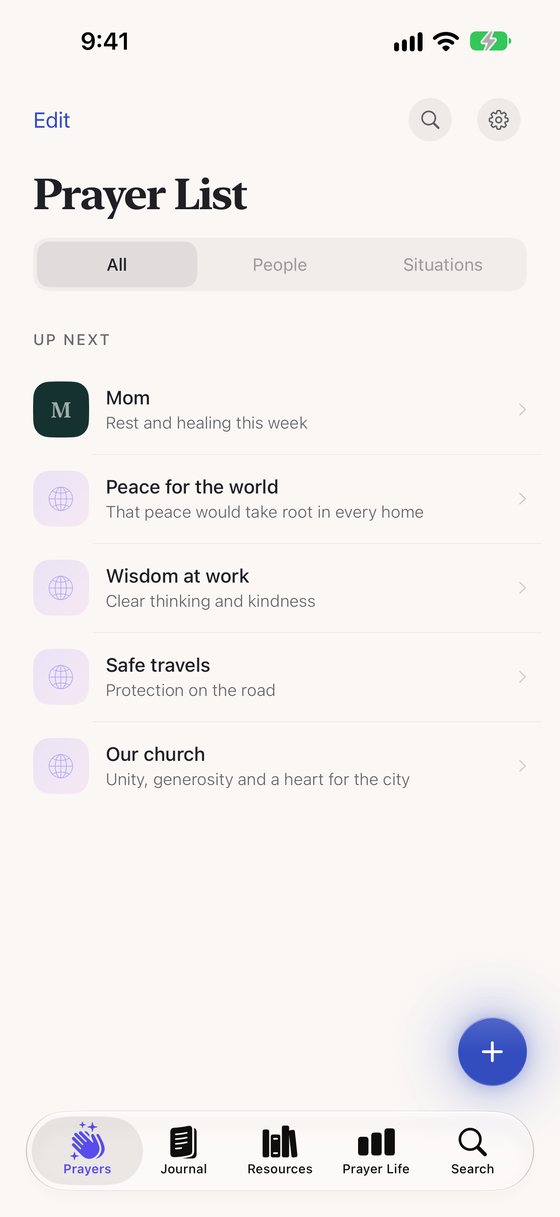
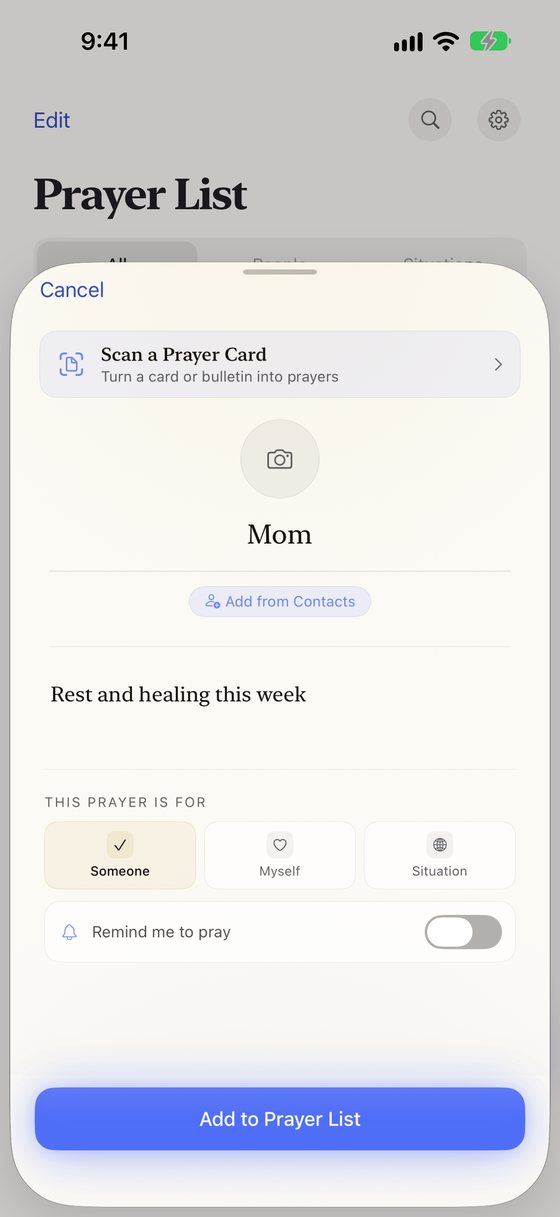
Pray together, too. Share a prayer group with family or friends through iCloud: everyone in it sees the group’s requests, its answered prayers and when someone prays, while your journal and notes stay yours. Send a request in Messages, or put a Prayer Wall on your church’s Apple TV that people add to from their phones.
Call, Text and Email appear on prayers linked to a contact. Shared groups need iCloud, and anyone with the invite link can join. Messages requests work on iPhone and iPad.
From the App Store
In their own words.
A few reviews we chose from the US App Store, shared with gratitude. They were written about earlier versions of the app. You can read every review on the App Store.
★★★★★
…helps me remember all my prayer requests and keep them all organized.
★★★★★
This is simple but it also has some added features without the clutter.
★★★★★
…you can pull in people from your contacts list so you can focus on the person’s picture while you’re praying for them.
Scripture and reflection
Read a little. Write what stays with you.
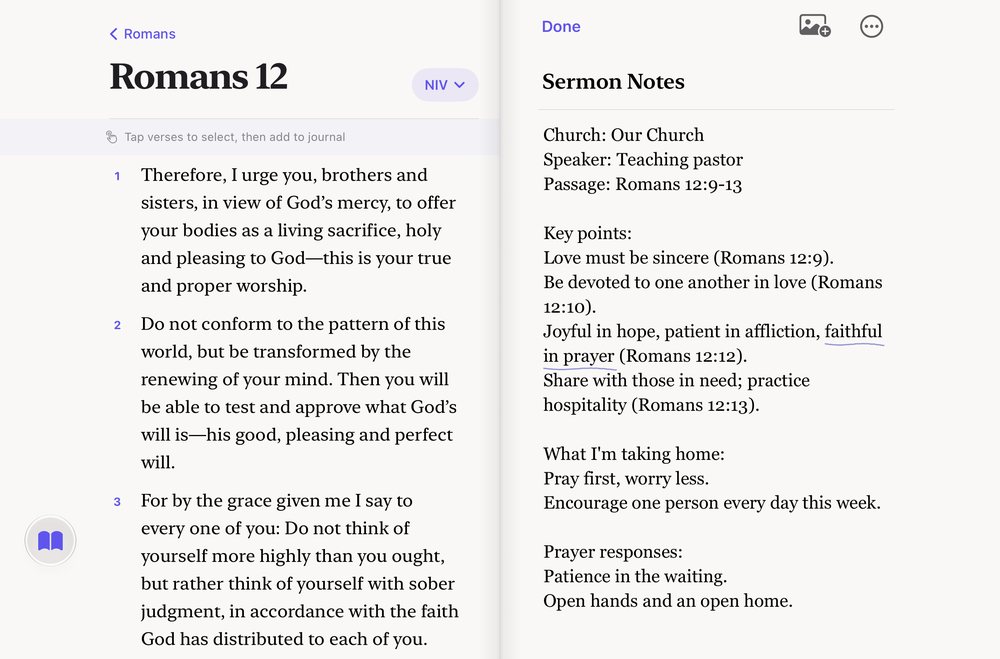
Open the Bible inside the app, read a chapter, and add the verses that stay with you to your journal or to the prayer for someone you love.
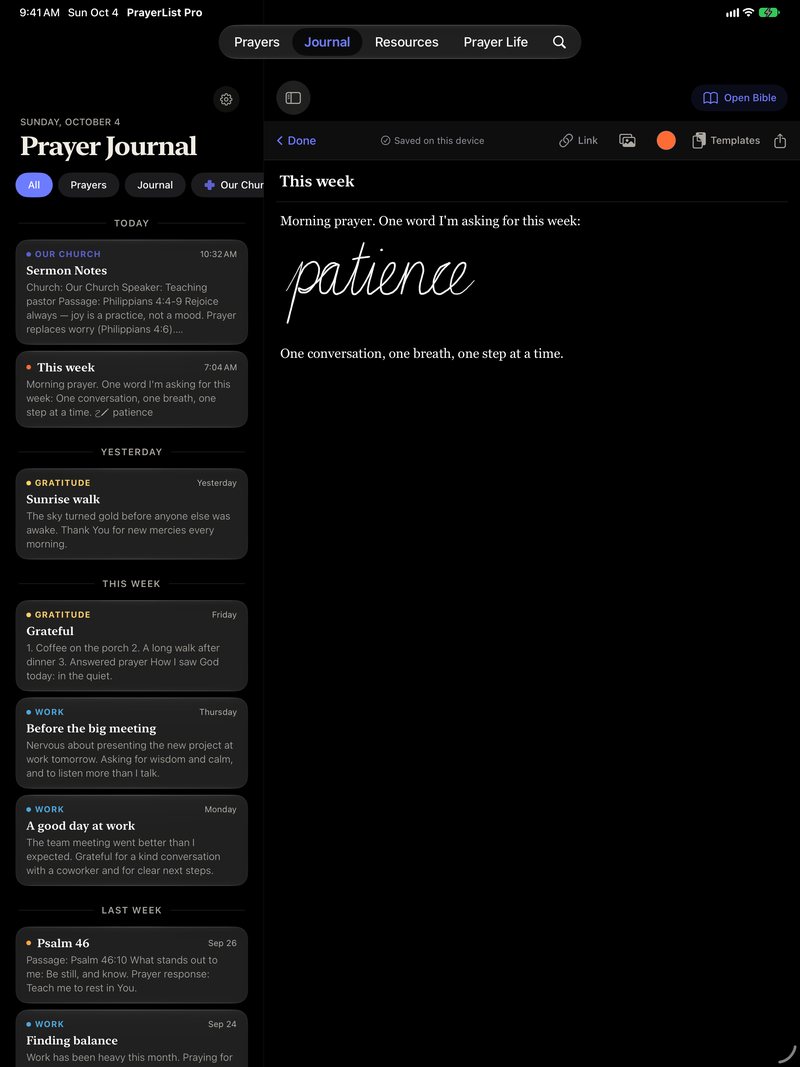
Your journal is one continuous page. Type, add photos, or write and draw anywhere with Apple Pencil on iPad. Later, on iPhone and iPad, search can find your words, even your handwriting, recognized on your device. When words are slow to come, begin with a template for gratitude, Scripture reflection, prayer and praise, or sermon notes.
The Bible comes in six editions and four languages, and it opens in the language you use the app in when an edition is available.
Reading the Bible needs an internet connection. iPhone Duo layouts need iOS 27.1 or later.
A gentle rhythm
Short prayers still count.
Some days you’ll pray for twenty minutes, some days for one. Both are prayer. PrayerList Pro is built to help you come back, whenever you’re ready.
You choose the reminders, prayer by prayer, at times that fit your life. Over the months, Prayer Life keeps a record to look back on: your time in prayer, the shape of your week, and the prayers God has answered.
- Reminders you set for each prayer, with an I Prayed button right on the notification.
- An optional gentle nudge, only if you haven’t opened the app in more than five days: “It’s been a few days — take a quiet moment to pray.”
- With your permission, timed prayers and journal sessions can be saved to Apple Health, where they appear with your other Mindful Minutes.
Apple Health is optional, on iPhone, iPad and Apple Watch, and a quick I Prayed tap isn’t saved to Health.
Sacred and private
Between you and God.
Your prayers hold other people’s stories, so they deserve care. They live on your devices and in your own private iCloud account, not on servers we run, and they’re never sold or used to profile you. And every feature is free, because the point is to help people pray.
- Price
- Free to download and use, with no subscription and nothing locked. If you’d like to support the work, you can leave an optional tip in the app. Tips unlock nothing extra.
- Account
- None to create. PrayerList Pro works without iCloud; syncing and shared groups use the iCloud account already on your device.
- Where your prayers live
- On your devices and in your own private iCloud account. We can’t access the prayers and journal in your private iCloud. Groups you share are seen by everyone who joins with your invite link.
- What reaches us
- Not your prayers or journal. We receive only what you choose to send us, such as a Prayer Wall request or a message to support. The app has no ads, and no third-party analytics or crash-reporting tools.
- Bible lookups
- When you open a passage, the app asks a Bible service for it by reference. It never sends your prayers or journal.
- Lock App
- Lock the app with Face ID, Touch ID or your passcode. Widgets and reminder notifications can still show prayer text.
Accessibility
Room for everyone who wants to pray.
We think of accessibility as hospitality: making room at the table for everyone who wants to pray. Technology should never be what stands between a person and prayer, whether you use VoiceOver, read with much larger text, find dragging hard, or simply didn’t grow up with smartphones. On iPhone and iPad, PrayerList Pro is designed for VoiceOver and Dynamic Type, including the journal.
Text that grows with you.
At larger text sizes, screens reflow. Even the Prayer Life chart turns into a list.
Reorder without dragging.
With VoiceOver, the Move up and Move down actions put each prayer where you want it.
Describe what you draw.
Add descriptions to journal drawings and photos so VoiceOver can read them.
Calmer motion.
When Reduce Motion is on, many animations are gentler.
Accessibility is ongoing work, and we keep improving it as the app grows. If something gets in your way, please tell us. We want to know.
Across your Apple devices
There when you reach for it. Quiet when you don’t.
PrayerList Pro lives on the Apple devices you carry through the day, so prayer can meet you in the moments you already have. Your prayers sync through your own private iCloud account. Features vary by device.
A day with PrayerList Pro
-
Morning · iPhone
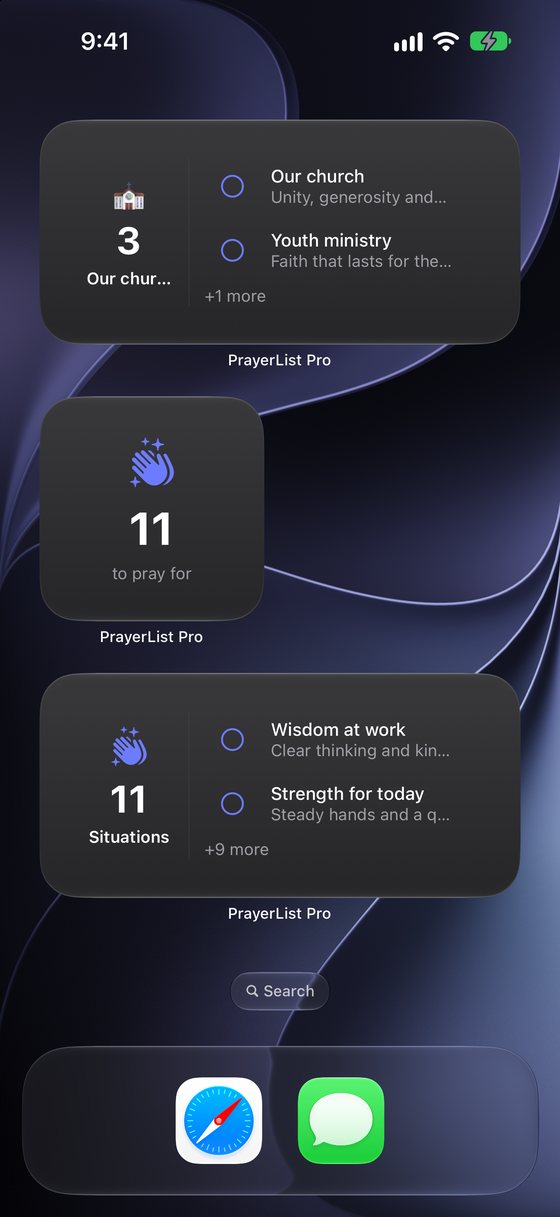
A widget on your Home Screen shows who’s next. Tap the circle beside a prayer to mark it prayed, without opening the app.
-
On the way · Siri
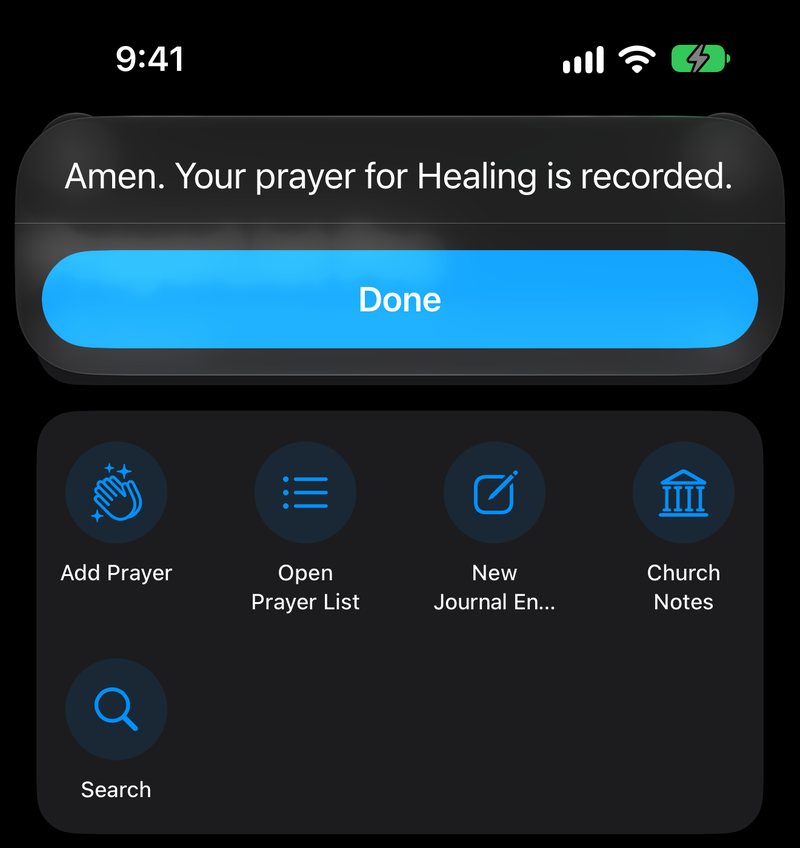
Tell Siri, “I prayed for Mom in PrayerList Pro,” and Mom’s prayer is marked prayed.
-
Midday · Apple Watch
Pray from your wrist in a full-screen session. A complication shows what’s left to pray.
-
Evening · iPad
Write tonight’s reflection with Apple Pencil, with the Bible open beside your page.
-
Sunday · Apple TV
Put a Prayer Wall on the screen at church. People scan a code and send requests from their phones, and the requests are deleted when the host ends the session.
-
Any time · Apple Vision Pro
Open your prayer list on Apple Vision Pro, too.
For iPhone, iPad, Mac, Apple Watch, Apple TV and Apple Vision Pro. Widgets and Siri shortcuts are on iPhone and iPad. Apple TV has your prayer list and the Prayer Wall. Requires iOS, iPadOS, macOS or visionOS 26 or later, or watchOS or tvOS 26.2 or later. Widgets and the Messages app need iOS or iPadOS 26.2 or later.
Five languages
Pray in the language of your heart.
PrayerList Pro is translated into five languages, and the Bible opens in yours when an edition is available. You can switch to any of the six editions at any time. A few things stay in English, such as most devotionals in Resources.

English 
Español (México) 
Português (Brasil) 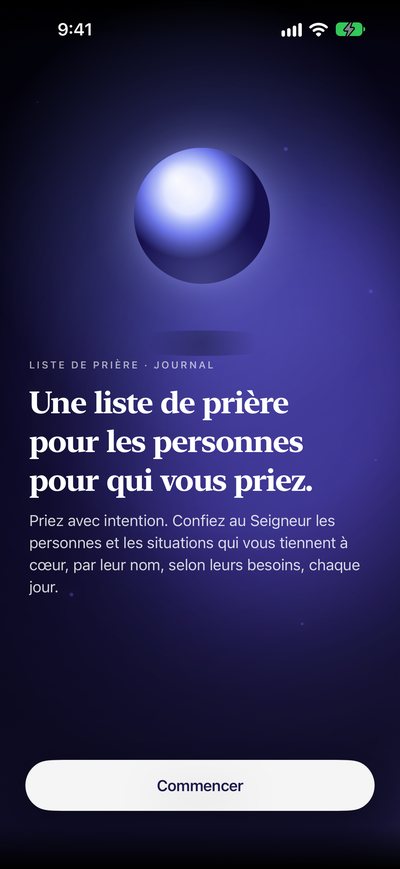
Français (Canada) 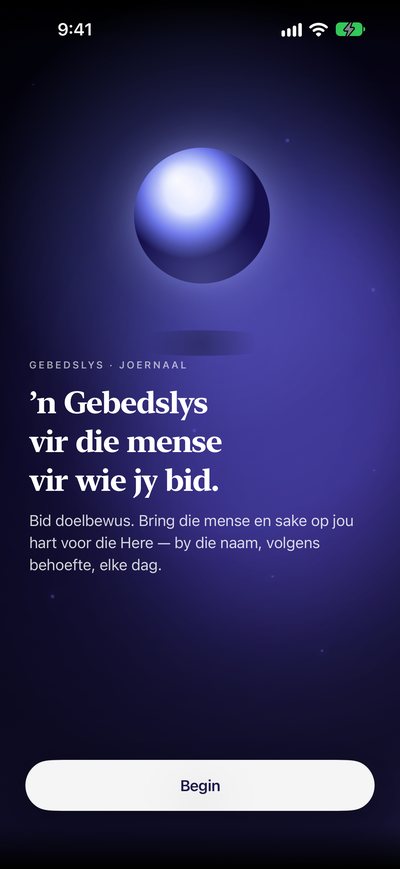
Afrikaans
- English Lift others in prayer. Bible: NIV, ESV and the World English Bible You’re reading this one
- Español México Ora por los demás. Bible: Nueva Versión Internacional (NVI) Leer en español
- Português Brasil Ore pelos outros. Bible: Nova Versão Internacional (NVI), Brazilian edition Ler em português
- Français Canada Portez les autres dans la prière. Bible: La Bible du Semeur Lire en français
- Afrikaans Dra ander in gebed op. Bible: No Afrikaans Bible yet. The app starts with the NIV, and you can choose any of the six editions. Lees in Afrikaans How to use the app in Afrikaans
Each card shows a line from the app, in that language.

“I thank my God whenever I remember you.” Philippians 1:3 (WEB)
Who is on your heart today?
Start with one name. God is already listening. PrayerList Pro will hold the list, quietly, while you pray.

Free for iPhone, iPad, Mac, Apple Watch, Apple TV and Apple Vision Pro. No account needed. Requires iOS 26 or later on iPhone; features vary by device.